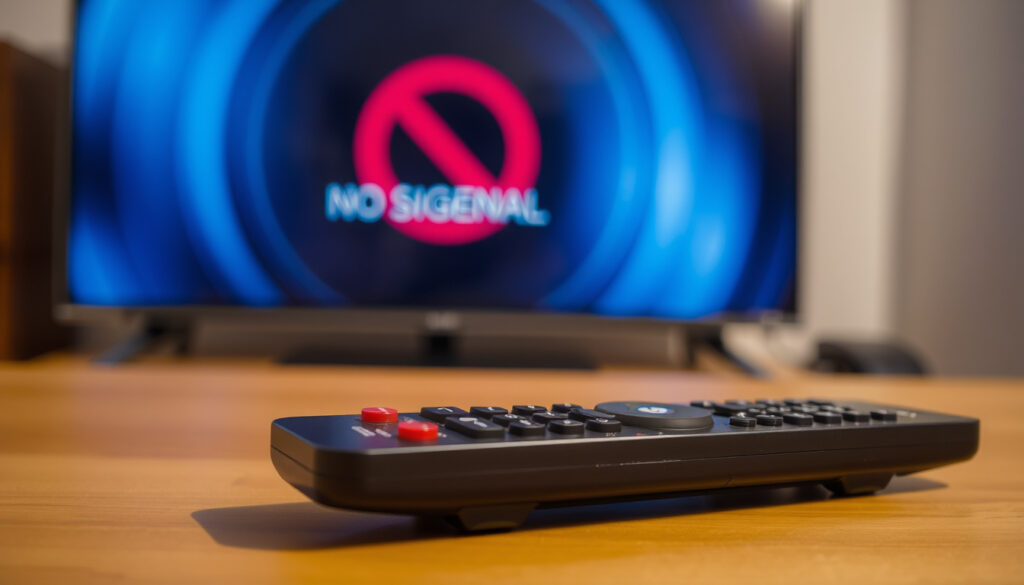
Sky Remote Not Working: Quick Fixes and Reset Steps
Few things are more frustrating than pointing your Sky remote at the box and getting nothing back. If you’re here, chances are your remote has gone silent — no LED, no response, no action. Most issues come down to dead batteries or a lost pairing, both fixable in under 30 seconds. The standard reset sequence, documented by Sky Help Forum (official support community), is to press 7 and 9 together until the LED flashes four times, then press 1 and 3 to re-pair.
Most common cause: Dead or weak batteries ·
Reset button combo: Press 7 and 9 together until LED flashes 4 times ·
Re-pair button combo: Press 1 and 3 together until LED flashes ·
Battery drain fix: Replace with fresh alkaline batteries ·
Remote lifespan: 3 to 5 years with normal use
Quick snapshot
- Battery replacement is the first troubleshooting step (Sky Help Forum)
- Press 7 and 9 together until LED flashes 4 times resets the remote (Sky Help Forum)
- Press 1 and 3 together to re-pair after reset (Sky Help Forum)
- Whether battery drain issues are caused by a remote firmware bug
- Whether a remote that fails after reset indicates permanent hardware failure
- Sky Community discussions about remote issues date to February 2024 (Sky Help Forum)
- Sky Help published re-pairing guidance for Sky Glass and Stream remotes in 2024 (Sky Help UK YouTube)
- If reset fails, contact Sky for a replacement remote (Sky Help Forum)
- Check for firmware updates via the Sky box settings menu (Sky Help Forum)
Four facts that cover the essentials: from battery type to reset sequences.
| Label | Value |
|---|---|
| Common fix | Press 7 and 9 together until LED flashes 4 times |
| Re-pair step | Press 1 and 3 together while pointing at box |
| Battery type | AA alkaline (not rechargeable) |
| Remote lifespan | 3-5 years typical |
How do I get my Sky remote to work again?
- Check the remote batteries — replace with fresh AA alkalines if weak.
- Test the remote with fresh batteries to confirm power.
- Reset the remote using 7 and 9: press and hold both until the LED flashes four times (Sky Help Forum).
- Then press 1 and 3 together to re-pair the remote with the box (Sky Help Forum).
The implication: most remote failures are fixable in under a minute with the right sequence. No special tools or call to customer support needed.
Sky Q users: after a battery swap, if the remote still doesn’t work, the two-button reset (7+9 then 1+3) clears the pairing memory and reconnects it. This is the most reliable fix documented by the official Sky support community.
Why is my remote suddenly not working?
- Sudden failure often traces to battery exhaustion or accidental unpairing (Sky Help Forum).
- Check if the remote LED lights up when pressing a button — no flash means dead batteries or a failed LED.
- Signal blockage (obstacles between remote and box) can cause intermittent loss.
The pattern: a remote that worked one day and stopped the next points to batteries or accidental unpairing, not hardware failure.
Why is my Sky remote not pairing?
- Repair the remote with the Sky box by first holding 7 and 9 to initiate pairing mode (Sky Help Forum).
- Then press 1 and 3 while pointing the remote at the Sky box to complete pairing (Sky Help Forum).
- Follow any on-screen instructions that appear on the TV after the reset.
What this means: pairing failure is almost always resolved by the two-step reset sequence. If it still won’t pair, the box may need a restart.
Is there a reset button on the Sky remote?
- There is no dedicated reset button, but holding 7 and 9 together performs a factory reset of the remote (Sky Help Forum).
- After a reset, re-pairing with 1 and 3 is required.
- Some community guidance suggests holding OK and Volume Down for 3–5 seconds for Sky Glass or Sky Stream remotes (Sky community group on Facebook).
The catch: there is no physical reset button — the combo button press does the same job. For Sky Glass and Stream models the reset method differs.
How do I fix an unresponsive Sky remote?
- Remove batteries for 30 seconds, hold Select for 30 seconds, then reinsert the batteries as a reset step (Mount Technologies (Sky support partner)).
- Clean the remote sensor and Sky box IR port with a dry cloth.
- If no response after the above, replace with a new remote from Sky support.
The trade-off: a remote that doesn’t respond after a full reset and battery swap may have a hardware fault. Ordering a replacement from Sky is usually faster than further troubleshooting.
According to a Hometech Support (third‑party guide), if the remote works intermittently the problem may be signal interference from other IR devices — try moving the Sky box away from direct sunlight or bright LED lights.
Step-by-Step Troubleshooting Flow
- Replace batteries with fresh AA alkaline cells and test the remote.
- Press and hold 7 and 9 together until the LED flashes four times — this resets the remote (Sky Help Forum).
- Press and hold 1 and 3 together while pointing at the Sky box until the LED flashes twice to re-pair (Sky Help Forum).
- If the remote remains unresponsive, remove batteries for 30 seconds, then reinsert and repeat steps 2–3 (Mount Technologies (Sky support partner)).
- Test the remote with your Sky box — if still not working, contact Sky for a replacement.
The pattern: each step eliminates a failure mode. Step 1 fixes battery issues, steps 2–3 fix pairing, step 4 clears residual charge. Step 5 is the escalation path.
Confirmed facts
- Press 7+9 to reset the remote (Sky Help Forum)
- Press 1+3 to re-pair the remote (Sky Help Forum)
- Battery drain can be caused by old or low-quality batteries
What’s unclear
- Battery drain from remote firmware bug (community speculation)
- Remote not working after reset due to hardware fault (unconfirmed)
Quotes from the community
Press 7 and 9 together on the remote until its LED flashes four times.
— Sky Help Forum guidance
I have changed the batteries and tested them in a separate remote.
— Sky community forum user
For Sky Q users who have tried all steps, the choice is clear: order a replacement remote from Sky, or switch to the Sky Glass remote if you’re upgrading. Continuing to use a faulty remote will only drain more batteries and cause further frustration.
youtube.com, helpforum.sky.com, youtube.com, youtube.com, youtube.com, youtube.com
Frequently Asked Questions
Why does my Sky remote keep losing connection?
Losing connection is usually a pairing issue. Reset the remote by pressing 7 and 9 together until the LED flashes four times, then re-pair with 1 and 3 (Sky Help Forum). If the problem recurs, check for signal interference from other devices.
What should I do if new batteries don’t fix my remote?
If fresh batteries don’t work, try the reset sequence (7+9 then 1+3). Remove the batteries for 30 seconds first to clear residual charge, then retry (Mount Technologies (Sky support partner)). If still no response, the remote may need replacement.
How long does a Sky remote battery last?
With normal use, AA alkaline batteries in a Sky remote typically last 3 to 5 years. Frequent use or leaving the remote with batteries inserted for long idle periods can shorten life.
Can I use rechargeable batteries in my Sky remote?
Sky recommends AA alkaline batteries. Rechargeable batteries often have a lower voltage (1.2V vs. 1.5V) and may cause the remote to behave erratically or not work at all. Stick to fresh alkalines for best results.
Does the Sky remote work with all Sky boxes?
Sky Q remotes are designed for Sky Q boxes. Sky Glass and Sky Stream remotes have different pairing procedures and are not interchangeable. Check your remote model on the back label (Sky Help UK YouTube).
How do I get a replacement Sky remote?
Contact Sky support via phone or live chat to order a replacement. You can also purchase one from the Sky website or authorized retailers like Appliances Direct (retailer).
More related posts
 New York to Boston: Train, Flight, Bus – Cost & Time
 Junior Cert 2026 Timetable: Release Date, Exam Dates & Download
 War of the Worlds: Novel vs 2005 Film Guide
 How to Get a Hearing Test in Ireland: Costs & Free Options
 Dunnes Stores Dun Laoghaire: Hours, Closure, Salaries & More
 What Is a Content Pillar? Definition and Examples
 What is Happening in Indonesia? Protests, Fires and Tensions
 Best Free Spelling Bee Game Online – Unlimited Play
